Understanding Rule Editor Modes
The Rule Editor can be rendered on the client in five modes: Evaluation, Execution, Filter, Ruleset, and Loop. To switch the Rule Editor to a different mode, set the value of Control.Mode to one of the members of the RuleType enumeration.
using CodeEffects.Rule.Editor;
using CodeEffects.Rule.Common.Models;

var editor = new Control("divEditorContainerId")
{
    SourceType = typeof(YourSourceObject),
    Mode = RuleType.Loop
};
The different modes of the Rule Editor control how the Editor renders rules in the Rule Area at design time, and how the Evaluator processes and evaluates those rules at evaluation time:
Evaluation Mode. This is the default mode. It allows rule authors to create only evaluation type rules, and the options in the Toolbar’s Rules menu enforce this restriction if the Toolbar is enabled.
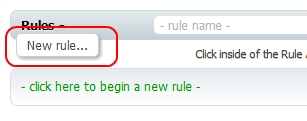
Execution Mode. This mode allows rule authors to create both evaluation and execution type rules. The options in the Toolbar’s Rules menu enforce this restriction if the Toolbar is enabled in the Rule Editor.
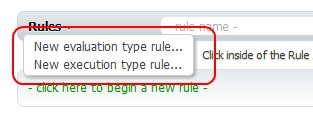
Filter Mode. This mode configures the Rule Editor for rule-based data filtering. It allows only evaluation-type rules because, fundamentally, filtering queries are evaluation rules. This mode changes static UI labels and messages to data filtering context and hides the Toolbar by default; however, you can show the Toolbar in Filter Mode by setting Control.ShowToolBar to true. Data filtering is a major feature of the Code Effects platform; please refer to the related articles for full details.

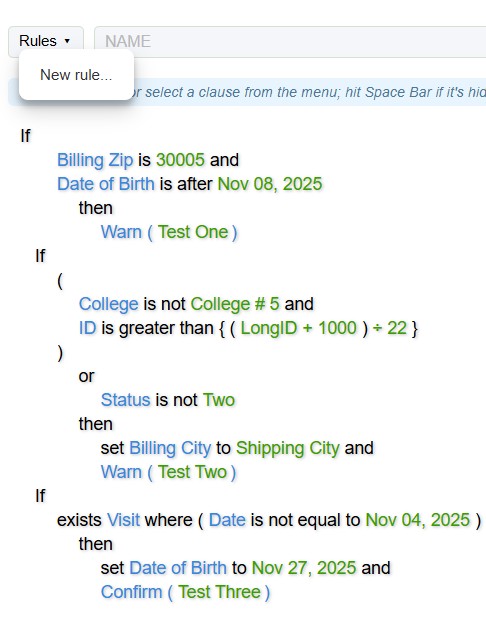
Ruleset Mode. This mode allows rule authors to create a set of execution type rules and evaluate those rules against a source object in a single evaluation step. In other words, in this mode rule authors can evaluate a set of rules as if it were a single business rule. This is the only mode that allows multiple If flow elements in the Rule Area, which serve as rule separators. No other flow elements, such as Else If and Else, are allowed in this mode.
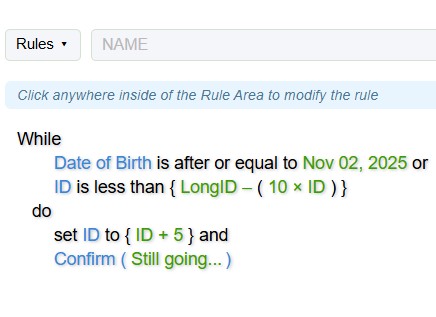
Loop Mode. This mode allows rule authors to create only execution type rules and evaluate those rules against a source object in a continuous loop until the rule returns true, or until the loop reaches a predefined number of iterations. The Loop mode allows only a single if flow element per rule, meaning the rule can contain only one section (see the Code Effects Evaluation topic for details on rule elements). This mode changes the flow label from If to While and the action clause from Then to Do. Using the EvaluationParameters class, you can define the maximum number of iterations after which the Evaluator class terminates evaluation if the rule still returns false. The default maximum number of iterations is −1, meaning an indefinite number of iterations.