Rule Repository, Audit and the MCP Server
This section is for the IT teams and developers who put the Code Effects Rule Repository (RR), Audit and the MCP server into a web application. It covers everything you touch: the packages, the database, the server endpoint, the page, users and permissions, source objects, the AI features and production recording. Business users have their own documentation in the Rule Repository Guide.
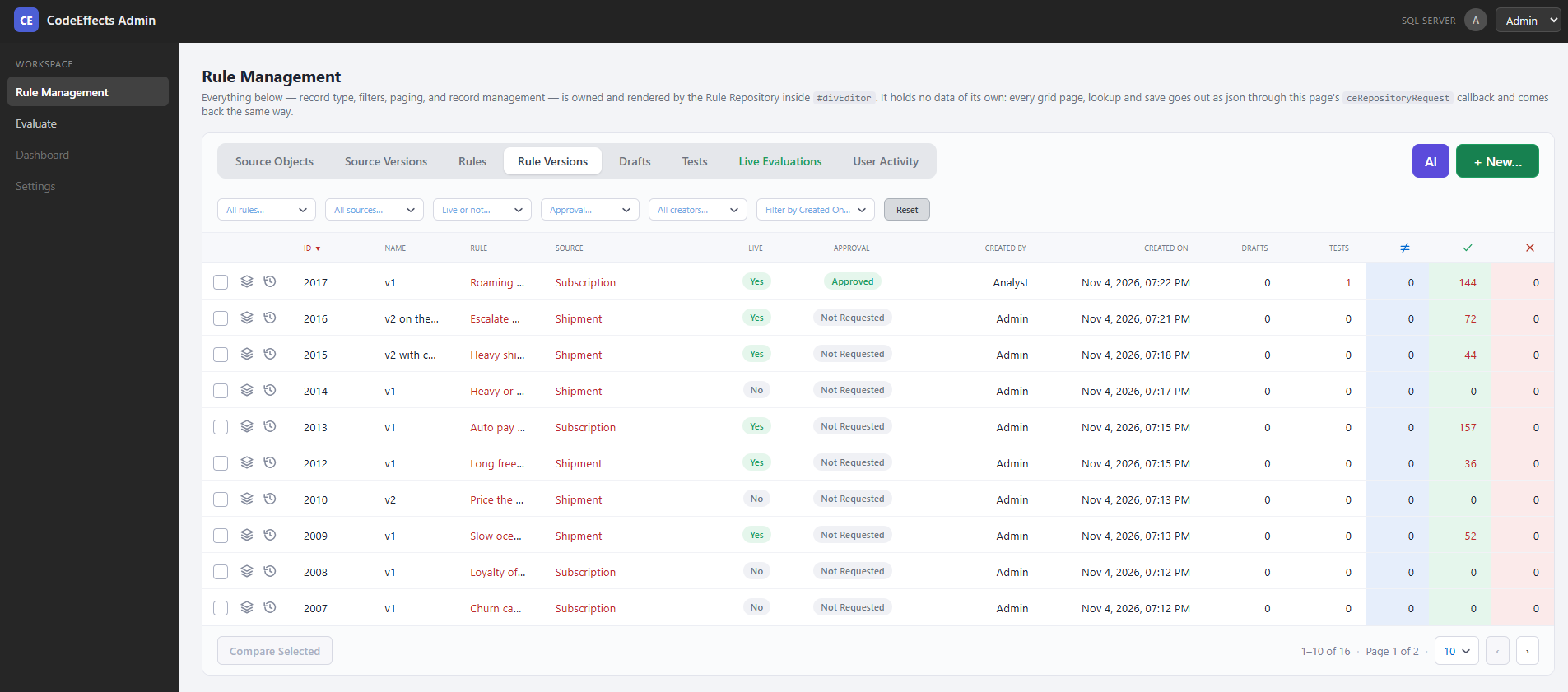
The three libraries build on the Rule Editor and the Rule Engine:
| Library |
Package |
What it gives you |
| Rule Repository |
CodeEffects.Rule.Repository (.NET Standard 2.0) |
A complete user interface and storage for rules: source objects and their versions, rules and rule versions, drafts, tests, approvals, going live, history, notes and the in-app AI features. Your users manage rules; your application loads the live versions and evaluates them. |
| Audit |
CodeEffects.Rule.Audit (.NET Standard 2.0) |
Records every production evaluation of a live rule: the version that ran, the values it read and what it decided. RR shows these records, replays them step by step to explain each decision, and turns them into tests. |
| MCP server |
CodeEffects.Rule.Mcp (.NET 8, ASP.NET Core) |
A Model Context Protocol server that lets AI clients your people already use, such as Claude, read and write rules through RR and Audit, under the same permissions. |
| Database connection |
CodeEffects.Rule.Connection with .SqlServer or .Postgres (.NET Standard 2.0) |
Talks to the one database RR and Audit share. |
The Rule Repository comes with the Code Effects Business package, Business plus Audit is Code Effects Enterprise, and Enterprise plus the MCP server is Code Effects Ultimate; each is licensed per team of 30 users. The Rule Editor and the Rule Engine alone are Code Effects Standard. See Code Effects Packages.
You Do Not Need an Existing Application
RR is not a plug-in for a particular product. It is a set of .NET libraries and two browser scripts that live in any .NET web application. That application can be one you already run, or a brand new, empty one created only to host the repository.
Many teams do exactly that: they create a small "rules" web application, secure it, add RR to it, and give their business users its address. Their production systems never host RR at all; they load the live rules from the same database and evaluate them, with or without Audit. Other teams add RR to an administration area of an existing application. Both are equally supported.
Whatever you choose, the host application has three jobs:
- Sign people in and decide what each may do. RR has no sign-in and no user directory of its own. Your application authenticates the user and tells RR, on every request, who the user is and which permissions they have.
- Serve one page and one endpoint. The page holds an empty element that RR fills. The endpoint receives RR's requests and passes them to the library. That is the whole integration on the web side.
- Own the database. RR and Audit store everything in a SQL Server or PostgreSQL database that you create, secure and back up, under your own security policies and logins.
Secure the application first
Do this before you add RR, whether the application is new or existing:
- Sign-in. Use your organization's identity provider (Microsoft Entra ID, Okta, Auth0, Active Directory, your own). Every page and endpoint that belongs to RR requires a signed-in user.
- HTTPS only, with HSTS in production.
- Authorization. Decide who may open RR at all (for example, a "Rule Managers" group), and how your roles map to RR's permissions.
- No cross-origin access to the RR endpoint with credentials: no permissive CORS policy.
- Secrets (the database connection string, AI keys) in your secret store, never in source control.
The Security page lists every duty of the host in detail.
Which Applications Can Host It
| Host |
Rule Repository |
Audit |
MCP server |
| ASP.NET Core on .NET 8 or later (new or existing) |
Yes |
Yes |
Yes |
| ASP.NET Core on earlier .NET (6, 7) |
Yes |
Yes |
No |
| ASP.NET WebForms or MVC on .NET Framework 4.7.2 or later |
Yes |
Yes |
No (host the MCP server in a separate ASP.NET Core application on the same database) |
| Console apps, Windows services, Azure Functions, workers |
No user interface; they can synchronize sources and load live rules |
Yes, for recording evaluations |
No |
The browser side works with any front end: plain HTML, Razor Pages, MVC views, WebForms pages, React, Angular or Vue. See The Client.
How the Parts Fit Together
Browser                          Your web application                    Your database
--------------------------       -------------------------------------   -------------------
Page with <div id="rr">     -->  POST /api/rules (signed-in users only)
codeeffects.editor.js            builds a Configuration for the user
codeeffects.repository.js        Context.GetResponse(config, db, json) -->  SQL Server or
                                                                             PostgreSQL
Your production code        -->  AuditRecorder.GetRules / Evaluate    -->   (one database for
(any .NET application)           or Context.GetRules + Evaluator            RR and Audit)

AI client (Claude, ...)     -->  /mcp (your OAuth)                    -->
                                 CodeEffects.Rule.Mcp
- One endpoint. RR's browser script sends every request (a grid page, a save, a test run) as a JSON string to a function on your page, which posts it to your endpoint. The endpoint passes it to
Context.GetResponse and returns the answer unchanged. See The Server Endpoint.
- One configuration per request. Before each call, your endpoint builds a
Configuration from the signed-in user: their ID and name, their permissions, the AI models you offer, your notification handler. See The Configuration.
- One database. RR, Audit and the MCP server all use it through one database provider. See The Database.
- Source objects come from your code. Your application tells RR which source objects exist by calling
Context.SyncSources at startup or deployment. Users never create source objects. See Source Sync and Versioning.
- Production loads live versions only. Your production code asks for the live versions of the rules it needs, through Audit (recorded) or through
Context.GetRules (not recorded), and evaluates them with the Rule Engine. See Live Versions and Approvals.
A Brand New Host in Ten Minutes
The smallest working host is an empty ASP.NET Core application. Create it:
dotnet new web -n RulesPortal
cd RulesPortal
Add the Code Effects packages from your Code Effects package (CodeEffects.Rule.Repository, CodeEffects.Rule.Connection.SqlServer or CodeEffects.Rule.Connection.Postgres, and the assembly that holds your source object classes), then replace Program.cs:
using CodeEffects.Rule.Common.Models;
using CodeEffects.Rule.Connection;
using CodeEffects.Rule.Repository;
using Microsoft.AspNetCore.Authentication.Cookies;

var builder = WebApplication.CreateBuilder(args);

// 1. Security first: replace the cookie scheme with your identity provider (OpenID Connect, Entra ID, ...)
builder.Services.AddAuthentication(CookieAuthenticationDefaults.AuthenticationScheme).AddCookie();
builder.Services.AddAuthorization(o => o.AddPolicy("RuleManagers", p => p.RequireRole("RuleManager")));

// 2. One database provider for the whole application
IDbProvider db = new CodeEffects.Rule.Connection.SqlServer.DbProvider(
	builder.Configuration.GetConnectionString("Rules"));
builder.Services.AddSingleton(db);

var app = builder.Build();

app.UseHttpsRedirection();
app.UseAuthentication();
app.UseAuthorization();

// 3. Check the database's schema version and put the source objects into the repository
var schema = Context.CheckDatabase(db);
if (!schema.IsCurrent) throw new InvalidOperationException(schema.Message);

Context.SyncSources(db, new SourceSettings { SourceTypes = { typeof(Order) } });

// 4. The page and the scripts (wwwroot/index.html, see The Client)
app.UseDefaultFiles();
app.UseStaticFiles();

// 5. The one endpoint
app.MapPost("/api/rules", async (HttpContext http) =>
{
	using var reader = new StreamReader(http.Request.Body);
	var json = await reader.ReadToEndAsync();

	var config = new Configuration
	{
		CurrentUserId = http.User.FindFirst(System.Security.Claims.ClaimTypes.NameIdentifier)?.Value,
		CurrentUserName = http.User.Identity?.Name,
		AccessMode = ActionPermissionMode.AllowAllExcept   // everything; narrow it per role, see Permissions
	};

	try
	{
		return Results.Content(Context.GetResponse(config, db, json), "application/json");
	}
	catch (RepositoryException ex)
	{
		app.Logger.LogError(ex, "Rule Repository request failed: {ControlNumber}", ex.ControlNumber);
		return Results.Content(ex.ResponseJson, "application/json");
	}
}).RequireAuthorization("RuleManagers");

app.Run();
Order stands for your own source object class. This sketch skips the checks a production endpoint makes (content type, body size, permission refusals); The Server Endpoint shows the full version. Create the database first: see The Database.
Reading Order
- Implementation Checklist: every step in order.
- The Database, Updating the Database and Connecting to the Database.
- The Server Endpoint, The Configuration and The Client.
- Users and the Acting User and Permissions.
- Source Sync and Versioning and Live Versions and Approvals.
- Notifications, Security, User Interface Text and Themes and Error Codes.
- The AI features: AI Assistant and AI Rule Editor, AI Assistant vs the MCP Server and AI Agents.
- Audit and the MCP Server.